EN
 Watch
Watch
Watch
WEBINAR - How to Lab
Welcome your customers the right way: Attendant Console and Virtual Receptionist. (EMEAR)

 Watch
Watch
 Watch
Watch

 Download
A complete tool to analyze and monitor your calls, allocate budgets, schedule reports, and more to improve customer experience.
More than 50 reports for outgoing, incoming, external, and internal calls, ready to be used, customizable, and schedulable to your needs.
Real-time monitoring with an easy-to-use dashboard, customizable with multiples widgets to keep everything under control.
Set up your Call Analytics dashboard and metrics with multi-site, multi-timezone, multi-currency, multi-telephone tariffs, and much more.
Monitor your call flows and phone usage to gain call insights on the actual adoption of your devices across your network.
Call Analytics is a solution designed to support compliance for personal data, fully compliant with General Data Protection Regulation.
A complete tool to analyze and monitor your calls, allocate budgets, schedule reports, and more to improve customer experience.
More than 50 reports for outgoing, incoming, external, and internal calls, ready to be used, customizable, and schedulable to your needs.
Real-time monitoring with an easy-to-use dashboard, customizable with multiples widgets to keep everything under control.
Set up your Call Analytics dashboard and metrics with multi-site, multi-timezone, multi-currency, multi-telephone tariffs, and much more.
Monitor your call flows and phone usage to gain call insights on the actual adoption of your devices across your network.
Call Analytics is a solution designed to support compliance for personal data, fully compliant with General Data Protection Regulation.
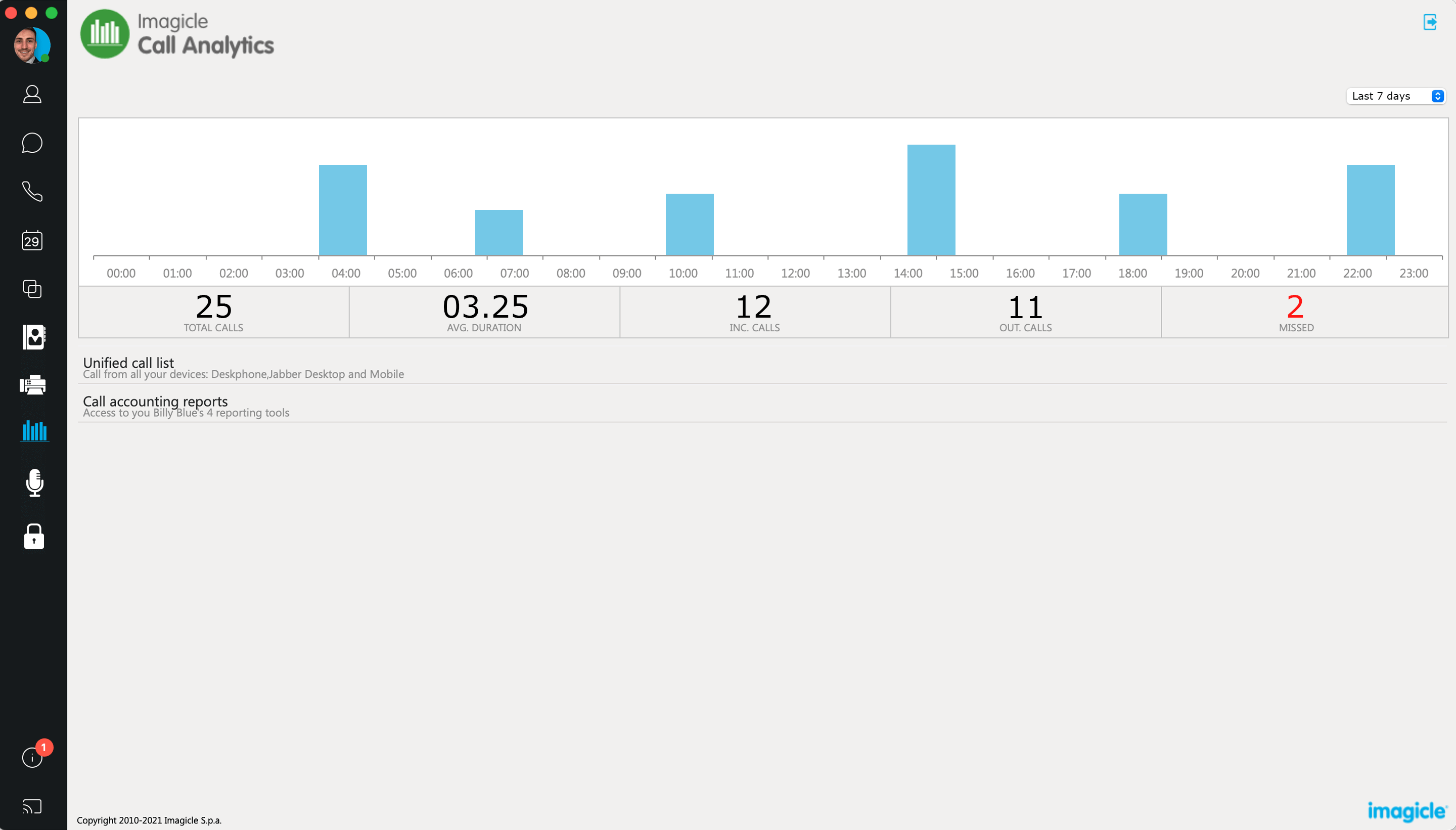
Call Analytics for Cisco Jabber
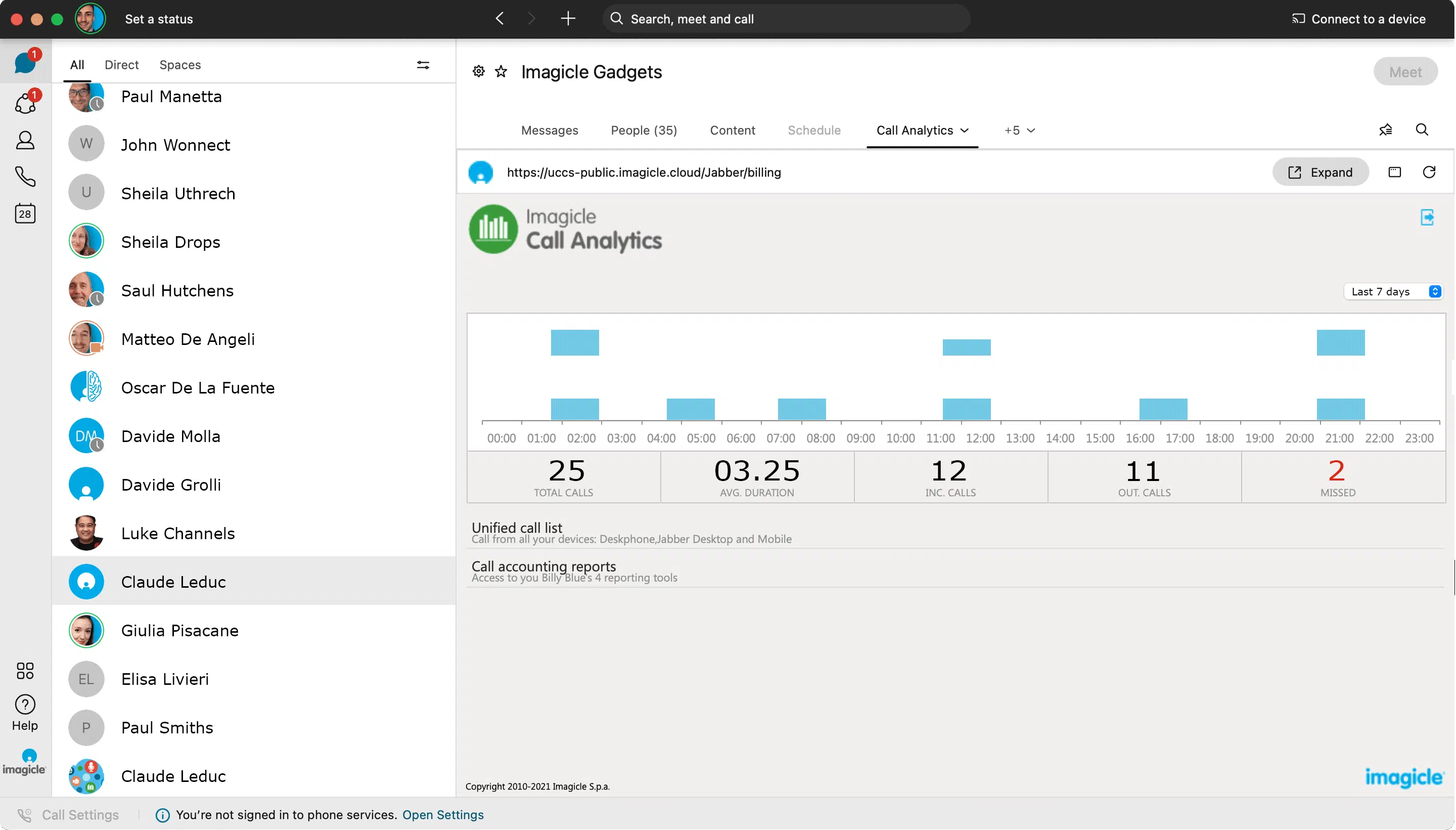
Call Analytics for Cisco Webex


Manage your calls quickly and professionally: transfer, park, notify calls on hold and check your colleagues' status.
Learn More
Record 100% of calls, start/stop, skip sensitive information, get detailed reports and comply with data regulations.
Learn More
Synchronize your contacts among multiple directories. Enable click to call and welcome your customers by name with the Caller ID.
Learn More
 Watch
Watch
Watch
Watch
What calling platforms is Call Analytics compatible with?
Platforms listed in the following table have been verified for operation with the product. Imagicle solutions are based on technological standards and therefore operate with many of the most commonly used systems on the market. Should your system not be listed, please contact our technical department to check interoperability. Cloud Connector, Office365 and Teams are currently not supported.
| Producer | System | Release | Certifications | Notes |
|---|---|---|---|---|
| Avaya-Nortel | BCM 50- 450 | |||
| Avaya-Nortel | Communication Manager - Aura | 4.x- 5.x-6.x-7.x-8.x | Avaya approved | |
| Avaya-Nortel | CS1000 | |||
| Avaya-Nortel | IP Office | 4.x- 5.x- 6.x- 7.x- 8.x- 9.x-10.x-11.x | ||
| CISCO | HCS | 8.6- 9.x- 10.x- 11.x-12.x-14.x | ||
| CISCO | Unified Communications Manager (Included Webex Calling Dedicated) | 7.x- 8.x- 9.x- 10.x- 11.x- 12.x-14.x | Cisco Compatible | |
| CISCO | Unified Communications Manager Business Edition 6000 | 8.6- 9.x- 10.x- 11.x-12.x-14.x | Cisco Compatible | |
| CISCO | Unified Communications Manager Business Edition 7000 | 8.6- 9.x- 10.x- 11.x-12.x-14.x | Cisco Compatible | |
| CISCO | Unified Communications Manager Express | 7.x- 8.x- 9.x-10.x-11.x-12.x-14.x | ||
| BroadSoft | BroadWorks | R22.0 and above | BroadSoft Compatible | |
| CISCO | Webex Calling Multi-Tenant | Requires a local GW/SBC to collect CDRs. Native integration with Webex Calling MT Cloud expected by Summer 2022 release | ||
| Microsoft | Skype for Business Server 2015/2019 | Native integration | ||
| Microsoft | Microsoft Teams | Local SBC (Direct Routing) is required to collect CDRs. Native integration with MS-Teams Cloud is expected by Summer 2022 release. |
What endpoints is Call Analytics compatible with?
| Product | Producer | Phone | Certifications | Notes |
|---|---|---|---|---|
| Phone Lock | CISCO | Any 3rd party SIP phones or analog phone sets | Using CURRI (ECC) technology. No visual indication of locking status. Audio prompt can be delivered instead. | |
| Phone Lock | CISCO | 6900 series | ||
| Phone Lock | CISCO | 7800 series | ||
| Phone Lock | CISCO | 7911 - 7912 (SCPP) - 7940 - 7960 | ||
| Phone Lock | CISCO | 7941 - 7942 - 7945 - 7961 - 7962 - 7965 - 7970 - 7971 - 7975 - 7985 | ||
| Phone Lock | CISCO | 8811- 8841 - 8851 - 8861 - 8845 - 8865 | ||
| Phone Lock | CISCO | 8941 - 8945- 8961 | ||
| Phone Lock | CISCO | 9951 - 9971 | ||
| Phone Lock | CISCO | IP Communicator | ||
| Phone Lock | CISCO | Webex Desktop and Jabber Desktop/Mobile Clients | Lock control and lock status available through Imagicle Phone Lock Gadget |
Watch
Watch
Watch
Watch
Watch
Watch
Download
Download
Yes. Call Analytics allows you enable filters to obtain all the details you need for specific calls, accessible through role-based access. It’s also possible to create specific notifications or alarms upon specific events or analyze trends through aggregated views.
Of course! You can combine different reports to obtain information about the quality of your service. And if you integrate Call Analytics with Advanced Queueing, your reports will have even more insights.
Yes, you can schedule reports to be sent to your email with preset filters any time you like.
Yes, with a special, easy-to-use built-in tool.
Yes! If you choose Call Analytics Enterprise, you can leverage the Budget Control and Phone Lock features to stay on top of your budget and lock phones upon budget reach.
Manage your calls quickly and professionally: transfer, park, notify calls on hold and check your colleagues' status.
Learn More
Record 100% of calls, start/stop, skip sensitive information, get detailed reports and comply with data regulations.
Learn More
Synchronize your contacts among multiple directories. Enable click to call and welcome your customers by name with the Caller ID.
Learn More